Luna · iOS app

Internal UX/UI Review

Review every wireframe holistically and leave Google-Docs-style comments — pinned to the spot you mean — across each design cycle, before we export to Figma.

Screens

55 screens in review

Onboarding

First run: meet Luna, pair your Capsule and CGM, and enter your routine.

Setup chapters (1–5) The main onboarding journey, handing off to Apollo Training.
9:41
Luna
Getting set up Chapter 1 of 5
Chapter 1 of 5

Luna takes the night watch

Before we set anything up, here's what Luna is — and what it isn't. Luna watches your glucose overnight and makes small, careful adjustments to your basal insulin so you can sleep without standing guard.

Luna watches your CGM through the night and acts while you sleep.
It makes small adjustments to your basal — gently, and starting conservatively.
It does not dose your mealtime insulin, and it does not run during the day.
You stay in control. Luna only keeps watch — you can always see what it did.

We'll set this up together, in order — pair your Luna Capsule, pair your CGM, and tell Luna your current routine. It only takes a few minutes.
Chapter 1 — What Luna is
9:41
Luna
Getting set up Chapter 2 of 5
Chapter 2 of 5

Tell Luna your routine

Luna needs to know the basal routine you're on today so it can protect it overnight. Enter your total daily basal dose (TDBD) exactly as your clinician prescribed it — this is just what you take now, not a change.

Total daily basal dose (TDBD), as prescribed
24 units / day

Your long-acting (basal) insulin total per day. Mealtime/bolus insulin isn't entered here — Luna doesn't touch it.

Chapter 2 — Tell Luna your routine (TDBD capture)
9:41
Luna
Getting set up Chapter 3 of 5
Chapter 3 of 5

Pair your Luna Capsule

Hold your Luna Capsule near your phone. Luna pairs over Bluetooth — keep them close while it connects.

Bluetooth · Searching

Looking for your Luna Capsule…

Your first night 1 of 3 ready
Pair your Luna Capsule
Pair your CGM sensor Next
Enter your TDBD
Chapter 3 — Pair Luna Capsule (BLE)
9:41
Luna
Getting set up Chapter 4 of 5
Chapter 4 of 5

Pair your CGM

Luna reads your glucose from your Dexcom G7. Connect it so Luna can watch your readings overnight.

Dexcom G7 Recent reading OK
Your first night 2 of 3 ready
Pair your Luna Capsule
Pair your CGM sensor
Enter your TDBD Next
Chapter 4 — Pair CGM (Dexcom G7)
9:41
Luna
Getting set up Chapter 5 of 5
Chapter 5 of 5

You're set up

Your first night is ready. Next, a coordinator walks you through setting up your device tonight — Luna Training picks up right here.

Your first night 3 of 3 ready
Pair your Luna Capsule
Pair your CGM sensor
Enter your TDBD
Up next · Luna Training
1 A coordinator confirms your setup and answers any questions.
2 You'll walk through tonight's evening setup, step by step.
Chapter 5 — Handoff to Apollo Training
Setup states & first-run education Landing states, routine capture, app/UI walkthroughs, and device management.
9:41
Luna
Setup  
Setup

Finish your setup

Pick up where you left off. Luna needs all three before your first night.

No devices paired yet — start by pairing your Luna Capsule.

Your first night0 of 3 ready
Pair your Luna CapsuleNext
Pair your CGM sensor
Enter your TDBD
Your first night1 of 3 ready
Pair your Luna Capsule
Pair your CGM sensorNext
Enter your TDBD
Your first night3 of 3 ready
Pair your Luna Capsule
Pair your CGM sensor
Enter your TDBD
Setup Landing (none / Luna complete / all)
9:41
Luna
Your routine 2 of 3
Your routine · 2 of 3

Your long-acting insulin

Enter the long-acting (basal) insulin dose you take now, exactly as your clinician prescribed it. This is just what you're already on — not a change.

Long-acting insulin dose, as prescribed
14 units / day

Your once-daily long-acting insulin. Mealtime/bolus insulin isn't entered here — Luna doesn't touch it.

Long-acting insulin (plain capture)
9:41
Luna
Quick tour Step 1 of 5
Quick tour · 1 of 5

This is your night view

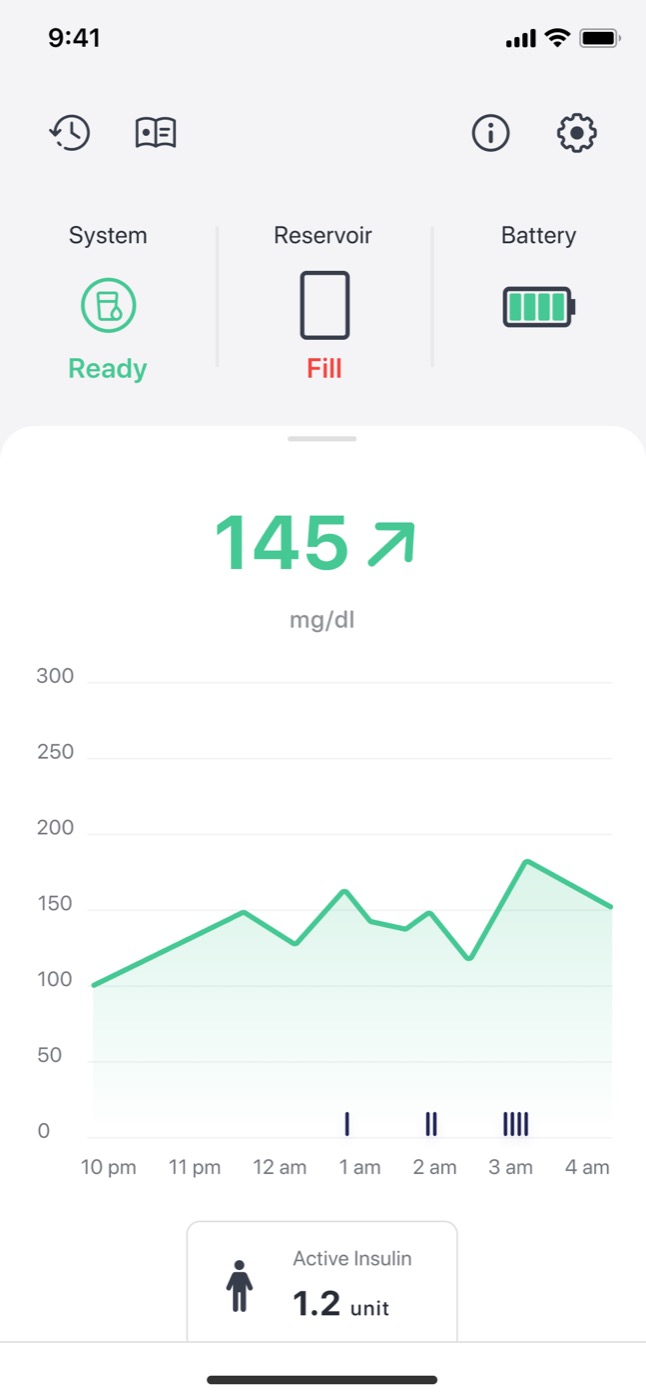
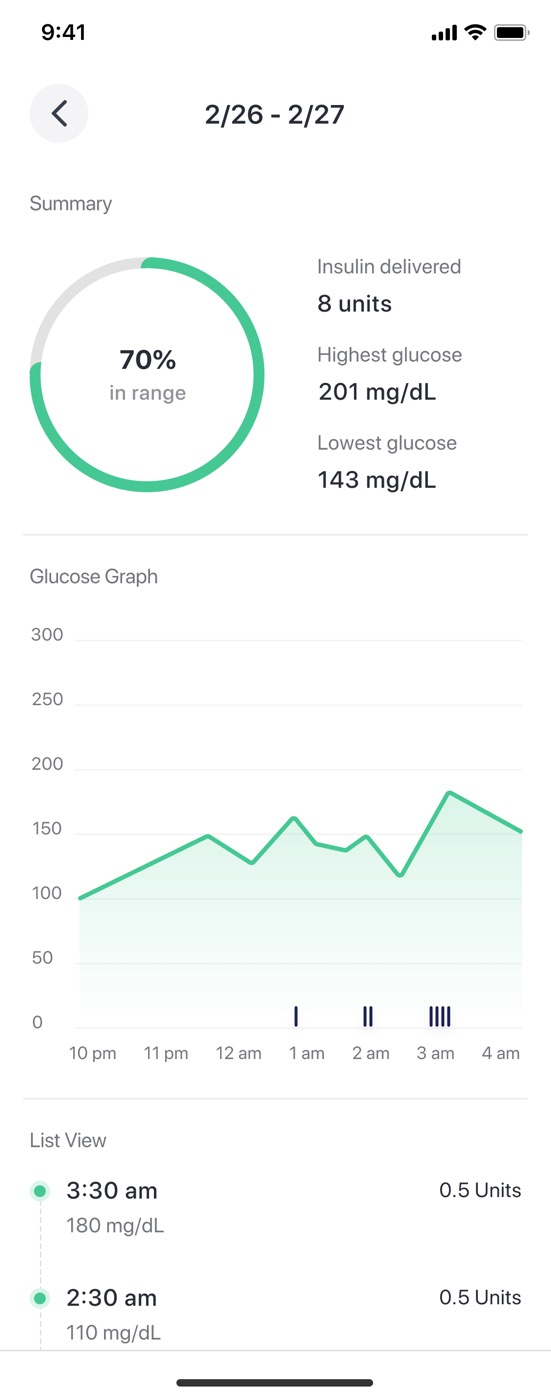
Each morning you'll open here. The big number is your glucose; the graph shows your night and the small marks show when Luna acted.

112 mg/dL

Steady overnight · Luna made 3 small adjustments

After the tour, your coordinator picks up right here to set up your device for tonight — it's all one walkthrough.
UI Walkthrough (1 of 5)
9:41
Luna
App walkthrough Step 1 of 5
App walkthrough · 1 of 5

A quick tour of the app

Five short stops so you know your way around before tonight. We'll start at the top of your home screen — the status strip that tells you Luna is working.

Automating System Full Reservoir 86% Battery
This strip leads your home screen. A glance tells you Luna is automating, your reservoir is filled, and the controller is charged.
5 quick stops, then Done
Setup App Walkthrough (1–5 + Done)
9:41
Luna
Session History 1 of 4
Session History · 1 of 4

Every night, summed up

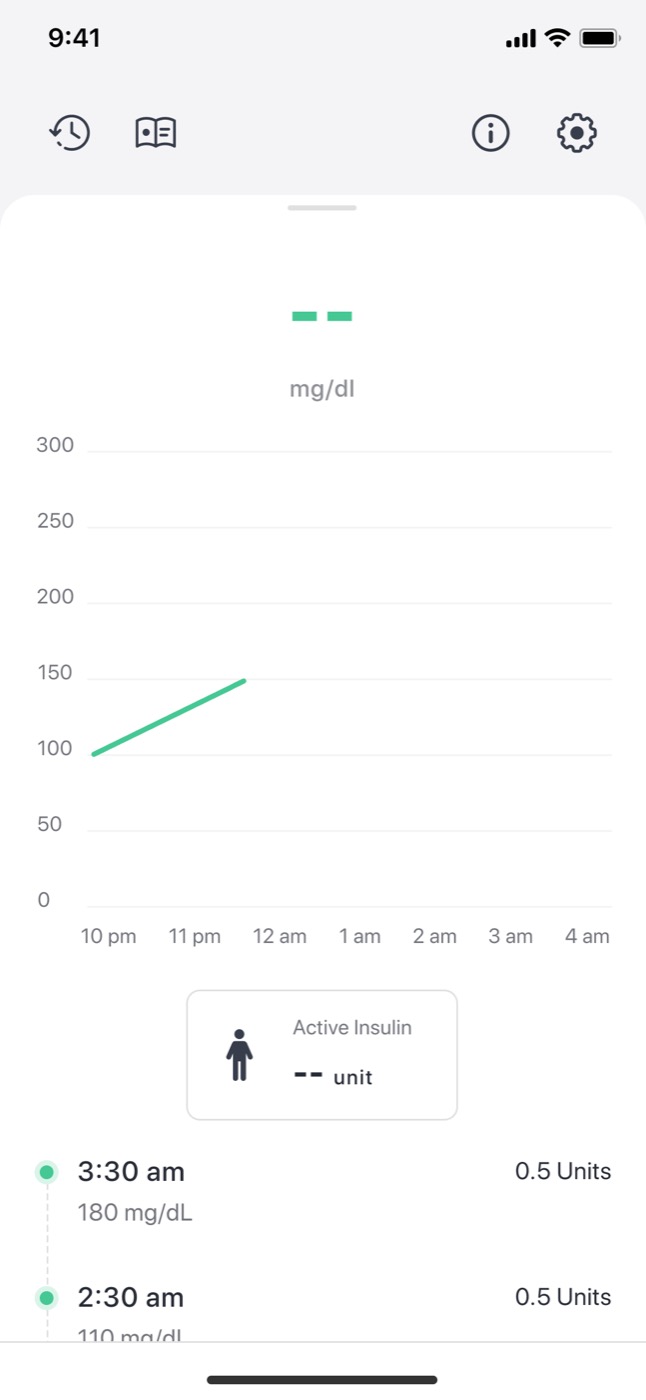
After your first night, this is where each session lands — time in range, total insulin Luna delivered, and your highs and lows. Nothing's here yet; tonight fills it in.

In range80% Insulin delivered5.0 U Lowest78

Example · your first session will look like this

Open any night to see its glucose graph and the moments Luna delivered insulin while you slept.
Session History Intro (first-run, 1–4)
9:41
Luna
Tonight panel · states  

Review aid — the recurring panel filling across the arc. Order is locked: pair Luna Capsule → pair CGM → enter TDBD.

State 0 · Nothing paired
Your first night0 of 3 ready
Pair your Luna Capsule Next
Pair your CGM sensor
Enter your TDBD
State 1 · Luna Capsule paired
Your first night1 of 3 ready
Pair your Luna Capsule
Pair your CGM sensor Next
Enter your TDBD
State 2 · CGM paired
Your first night2 of 3 ready
Pair your Luna Capsule
Pair your CGM sensor
Enter your TDBD Next
State 3 · TDBD entered · complete
Your first night3 of 3 ready
Pair your Luna Capsule
Pair your CGM sensor
Enter your TDBD
Tonight Panel — fill states across the arc
9:41
Luna

Luna Controller

Luna Controller
Connected
Your Luna Controller is paired and ready. It manages your insulin overnight and pairs to your phone over Bluetooth.
Device
Battery86%
ReservoirFull
Firmware1.4.2
SerialLC-7F3A
Paired CGM
CGMRecent reading OK
Manage
Rename controller
Forget this controller
Settings — Luna Controller (device management)

Apollo Training

Learn to place and remove the device — evening setup, then morning removal.

Evening setup Training start → gate → intro → 6 steps (Luna-is-preparing check) → overnight hand-off.
10:42
Luna

Ready to start your first Luna session?

We'll set up together — about five minutes — and then Luna is on watch for the night.

Training start
9:41
Luna
Before you start
Let's finish setup first

Luna needs a few things in place before your first session.

TDBD entered Set
Luna Capsule paired Not detected
Recent CGM reading OK · 2 min ago
Shows onlywhen a precondition fails
Training gate — preconditions
9:41
Luna
First session setup

Let's get you ready for your first sleep with Luna

Next is a quick walkthrough to help you get ready for your first session with Luna so you can sleep well. This should take about 5 to 10 minutes.

Intro — first session setup
9:41
Luna
Getting ready for your first sleep Step 1 of 6
still: Step 01 — poster TBD

Gather what you'll need

1Your rapid-acting insulin pen
2Single-Sleep Reservoir
3Luna Capsule (charged)
Step 01 — Inventory
9:41
Luna
Getting ready for your first sleep Step 2 of 6
still: Step 02 — poster TBD Auto-loops

Open the Single-Sleep Reservoir

Place on a hard surface and peel the label.

Step 02 — Open Reservoir
9:41
Luna
Getting ready for your first sleep Step 3 of 6
Filling the Single-Sleep Reservoir with insulin
asset: Cam+A-7 Auto-loops

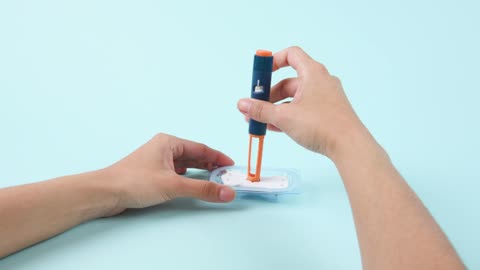
Fill the Single-Sleep Reservoir

Based on your long-acting dose, we recommend that you dial XXX units for your upcoming Luna session. Insert your rapid-acting insulin pen into the Single-Sleep Reservoir, then press the injection button to fill with insulin.

Only fill Luna with your rapid-acting insulin.
Flagdose value XXX — pending Eng/Clinical
Step 03 — Fill Reservoir
9:41
Luna
Getting ready for your first sleep Step 4 of 6
Attaching the Luna Capsule to the Single-Sleep Reservoir
asset: Cam+A-10 Auto-loops

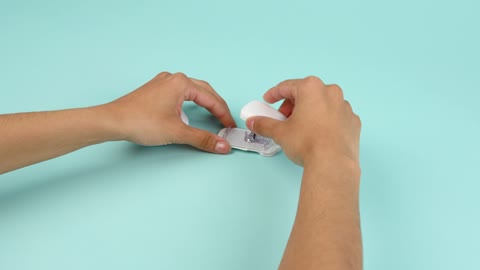
Attach the Capsule to the Single-Sleep Reservoir

Align the bottom of the Luna Capsule with the Single-Sleep Reservoir and snap into place. Carefully watch the video to make sure the orientation is correct and the ridge snaps into place.

Step 04 — Attach capsule
9:41
Luna

Luna is checking the stars are aligned

Take a breath — we're checking that the Luna system is attached correctly and primed. This should take less than a minute.

Autoadvances when ready · issue → troubleshooting
Luna is preparing
9:41
Luna

Let's get this sorted

We couldn't quite finish getting Luna ready. Let's check a couple of things and try again.

CGM data OK
Capsule on the Single-Sleep Reservoir Not seated
Priming On hold
Make sure the Capsule is snapped firmly onto the Single-Sleep Reservoir, then try again.
Shows onlywhen the readiness check fails
Pending — troubleshooting
9:41
Luna
Getting ready for your first sleep Step 5 of 6
still: Step 06 — poster TBD Auto-loops

Lift Luna off the base

Using both your hands, lift Luna straight up from the base.

Heads up — there's an exposed needle in this step.
Step 05 — Remove from base
9:41
Luna
Getting ready for your first sleep Step 6 of 6
Applying Luna to your body
asset: Cam+A-32 Auto-loops

Apply Luna to your body

Apply Luna to any site that you normally take an insulin injection.

Tip: keep the base — you'll use it for disposal in the morning.
Step 06 — Apply to body
11:23
Luna
Luna is on watch

Rest easy — Luna has the night

Luna will quietly manage your insulin while you sleep. There's nothing more to do tonight.

In the morning
When you wake, we'll guide you through removing Luna and charging it — that's Phase 2 of your training.
Overnight handoff — Luna active
Morning removal & re-entry Morning training start → 3 removal steps → complete.
7:08
Luna

Ready to remove Luna and start your day?

A few quick steps to take Luna off and charge it for tonight. No rush — start whenever you're up.

Morning training start
7:12
Luna
Morning · session start

Good morning, sunshine

You've had your first night with Luna. Let's take it off and get it charged for tonight.

Morning start
9:41
Luna
Morning removal Step 1 of 3
video: Step 08 — poster TBD Auto-loops

Remove Luna and start your day

Gently peel the adhesive off your body to remove Luna.

Heads up — there's an exposed needle when you peel Luna off your body.
Step 01 — Remove Luna
9:41
Luna
Morning removal Step 2 of 3
video: Step 09 — poster TBD Auto-loops

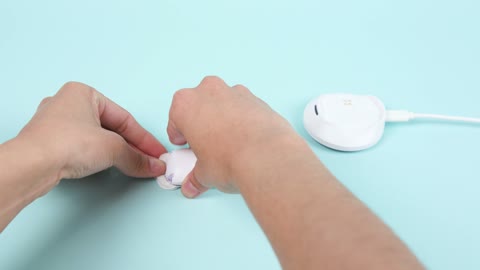
Unclip the Luna Capsule from the Single-Sleep Reservoir

Peel the tab, then press the release button to separate them.

Capsule removed from the Single-Sleep Reservoir Detecting…Detected
Step 02 — Unclip capsule
9:41
Luna
Morning removal Step 3 of 3
still: Step 10 — Bedside Charging Dock — poster TBD Auto-loops

Place Luna on the Bedside Charging Dock

Set the Luna Capsule on the Bedside Charging Dock so it's ready for tonight.

Capsule on the Bedside Charging Dock Detecting…Detected
Step 03 — Charge Capsule
7:18
Luna
You're all set

This is where Luna really begins

Nice work — your first night's done. From here, Luna learns about you and your long-acting dose, getting better each night at optimizing your settings so you sleep even better.

Luna is learning
Each night sharpens your overnight settings — you don't have to do anything.
Complete

Home — dailymain hub

The hub you live in: tonight's glucose, session history, and settings.

The daily hub Home dashboard ⇄ Session History ⇄ Settings, via the tab bar.
9:41
Luna
SystemAutomating
Long-acting12 U
ReservoirFull
Battery86%
112
mg/dL · steady
400 300 200 100 0 70 low
10 PM11 PM12 AM1 AM2 AM3 AM4 AM
= Luna delivered insulin
Steady night. Your glucose held in range and Luna made a few small adjustments while you slept.
Home Dashboard
9:41
Luna
Session History
Thursday, May 22 · overnight
80% in range
Total insulin delivered
5.0 U
Highest glucose
178 mg/dL
Lowest glucose
94 mg/dL
10 PM1 AM4 AM7 AM
0.1 U on board at wake
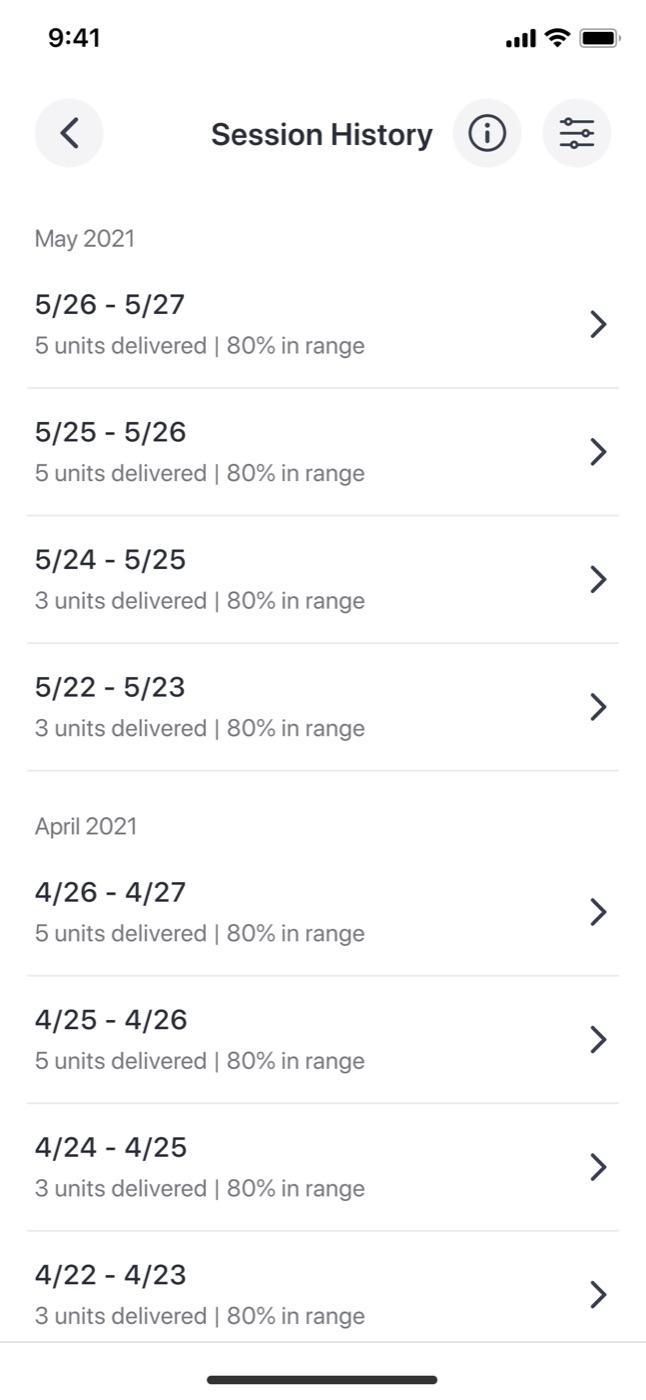
May 2021
5/26 – 5/27
5.0 U delivered · 80% in range
5/25 – 5/26
5.0 U delivered · 80% in range
5/24 – 5/25
3.0 U delivered · 80% in range
Session History
9:41
Luna
Hypo Shield
Hypo Shield Active
IOB Display
Devices
CGM Recent reading OK
Luna Controller Connected
Support
Help
Settings

Hypo Shield

Overnight long-acting dose guidance — surface a suggestion, confirm it safely, manage it.

Learn → suggest → confirm → manage The first-week learning states, the suggestion entry points (Home peek + lock-screen push), the dose confirmation with its two paths, the success confirmation, and settings.
9:41
Luna
SystemAutomating
Long-acting12 U
ReservoirFull
Battery86%
112
mg/dL · steady
400 300 200 100 0 70 low
10 PM11 PM12 AM1 AM2 AM3 AM4 AM
= Luna delivered insulin
Hypo Shield
Over your first week, Hypo Shield learns your insulin sensitivity and how your glucose moves overnight — then suggests adjusting your long-acting dose as needed.
It watches each night on its own and never changes anything for you. When there's a suggestion, you'll see it right here.
Tap to view
Home — default tip
9:41
Luna
SystemAutomating
Long-acting12 U
ReservoirFull
Battery86%
Hypo Shield
Getting to know your insulin needs

Hypo Shield is learning how your body responds overnight. For the first week, it is conservative to avoid hypoglycemia. You may have higher glucose than you expect — give us a little time to learn about your needs. Your first dose suggestion comes after 7 Luna sessions (they don't have to be in a row).

2 of 7 Luna sessions Unlocks at 7
5 more sessions to unlock Hypo Shield suggestions.
Learning state & dosing mode
9:41
Luna
SystemAutomating
Long-acting12 U
ReservoirFull
Battery86%
118
mg/dL · drifting up overnight
400 300 200 100 0 70 low
10 PM11 PM12 AM1 AM2 AM3 AM4 AM
= Luna delivered insulin
Hypo Shield · Suggestion
A new long-acting dose suggestion is ready
Review it when you're ready — nothing changes until you confirm.
Home — suggestion ready
10:18
Luna
Tuesday, May 26
10:18
Prompt-to-open only. No dose value and no action on the lock screen — tapping the banner opens the full-screen suggestion review in the app. Bottom-stacked placement matches stock iOS 16+ lock-screen notifications.
Push notification — prompt to open
10:18
Luna
Hypo Shield

A new long-acting dose

14 U Increase your long-acting dose
Current dose 12 U

Hypo Shield has observed your glucose drifting up overnight, which may mean you need a bit more of your long-acting insulin.

Confirm both to continue
Confirm both above to continue
Dose confirmation
10:18
Luna
Hypo Shield · Updated

Your settings have been adjusted

Long-acting dose now 14U

You've updated your long-acting dose from 12 to 14 units.

Take your 14-unit dose this evening. Luna will remind you before your session tonight.
Luna has started re-learning around your new dose. After 7 days, if another adjustment looks needed, Luna will flag it for you.
Confirmation — settings adjusted
9:41
Luna

Hypo Shield

Hypo Shield
On · learning your nights

Hypo Shield watches your nighttime glucose and, once it's learned your nights, suggests a long-acting dose change if yours looks set too high or too low. It never changes anything until you confirm.

How it works
It learns first

Over your first 7 Luna sessions, Luna learns your overnight patterns and doses conservatively. The sessions don't need to be consecutive.

It suggests — you decide

When your long-acting dose looks mis-set, Hypo Shield suggests a change and explains why. Nothing happens until you confirm.

You stay in control

You take the new dose yourself; if you allow it, Luna updates your long-acting insulin setting in the app. You can turn Hypo Shield off any time using the switch above.

Settings — Hypo Shield

IOB Display

See how much Luna-delivered insulin is still active (opt-in).

Opt in → see it → manage Pre-session announcement → opted-in Home → session detail → settings toggle.
10:18
Luna
IOB Display · Insight

Turn on insulin on board?

Luna can show your insulin on board (IOB) — how much of your Luna-delivered insulin is still active — during a session and as a residual amount after. It's decision support to help you avoid stacking. Luna won't recommend, change, or deliver a dose based on it.

Before you turn it on, confirm you understand
Confirm both above to continue
Pre-session IOB announcement
9:41
Luna
SystemAutomating
Long-acting12 U
ReservoirFull
Battery86%
112
mg/dL · steady
400 300 200 100 0 70 low
10 PM11 PM12 AM1 AM2 AM3 AM4 AM
= Luna delivered insulin
Steady night. Your glucose held in range and Luna made a few small adjustments while you slept.
Active insulin · Luna From Luna-delivered insulin only 0.4 U
Home dashboard — IOB Display enabled
9:41
Luna

Insulin on board

Insulin on board
Off

When on, your Home screen shows how much of your Luna-delivered insulin is still active — so you can avoid stacking a dose on top of insulin that's still working. Off by default.

What it shows
Luna-delivered insulin only

Counts the insulin Luna delivered overnight — not insulin you take outside Luna.

During and after a session

Shows while a session is active, then the residual amount after it ends until that insulin clears — e.g. 0.4 U.

Information, not instruction

It's there to help you decide. Luna won't recommend, change, or deliver a dose based on it.

Settings — IOB Display toggle (default OFF)

Study Reminders

Keep study participants on track — nightly wear + missed-session reminders, delivered via Apple Health / iOS.

Set up → manage → see it Opt-in (add to Apple Health) → settings → the lock-screen reminders.
9:41
Luna
Study reminders

Stay on track with your study

Luna can remind you to wear it each night and nudge you if you miss a session — both help keep your study on track. Reminders run through Apple Health, so they reach you even when Luna is closed.

Nightly wear reminder

A bedtime nudge to start tonight's Luna session.

Missed-session nudge

If you skip a night, a gentle reminder to wear Luna and stay on track.

You can change or turn these off any time in Apple Health or iOS Settings.

Study reminders — setup
9:41
Luna

Study reminders

Study reminders
On

Reminders that help keep your study on track. Delivered through Apple Health, so they reach you even when Luna is closed.

Reminders
Nightly wear

Every night at 9:30 PM — a nudge to start tonight's session.

Missed-session nudge

The morning after a skipped night — a reminder to wear Luna tonight.

Delivery
Managed through Apple Health

Times and notification style are controlled in Apple Health and iOS Settings. Turning the toggle off here removes Luna's reminders from Apple Health.

Study reminders — settings
9:30
Luna
Tuesday, May 26
9:30
Native Apple Health reminders. Luna schedules these in Apple Health, so they arrive from the Health app and fire even when Luna is closed — not a Luna-branded push.
Study reminders — notifications